Upon termination of your call recording contract, you are responsible for removing the associated configuration from your Microsoft tenant. Please follow the instructions below to complete this process.
Redcentric cannot perform this task on your behalf, as it requires access to your Global Administrator credentials, Auth ID, and Auth Token, which should not be shared with third parties.
Step 1: Retrieve Your Call Recording API Credentials
- Log in to the Redcentric Call Recording portal at:
https://cr.redcentricplc.com/ - Sign in using your email address and password.
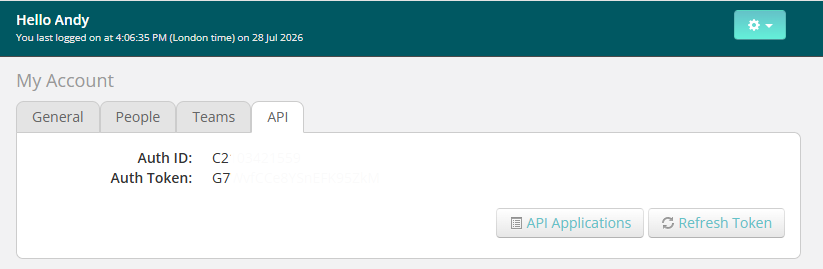
- Click the Settings drop-down menu in the top-right corner and select Account.
- Navigate to the API tab, where you will find your Auth ID and Auth Token.
Step 2: Access the Dubber Teams Provisioning Portal
- Browse to the Dubber Microsoft Teams provisioning portal:
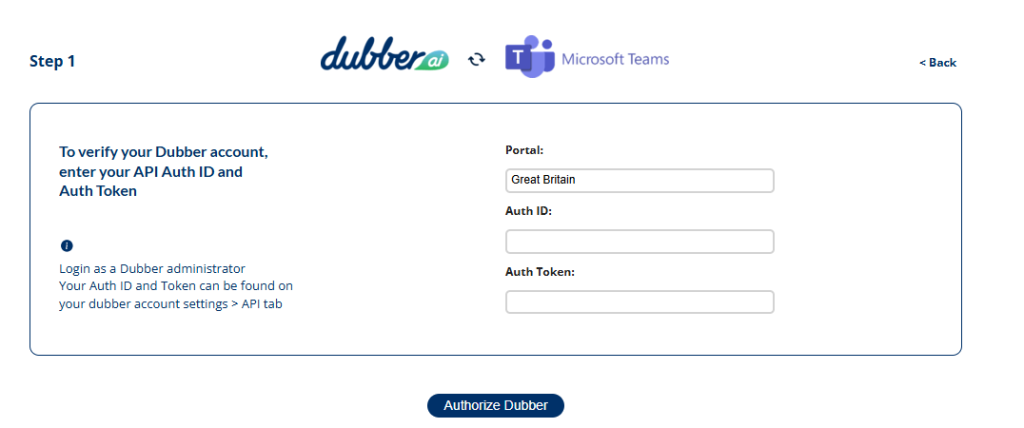
https://teams.emea.dubber.net/ - Select Great Britain from the Portal drop-down menu.
- Enter your Auth ID and Auth Token, then sign in.
- Click Authorize Dubber.
Note: PowerShell is required to remove the recording policies. The necessary PowerShell commands and instructions are provided within the provisioning portal after you have logged in.
Step 3: Remove the Dubber Configuration
- On Step 6 of the provisioning portal, enter your Microsoft Tenant ID and Domain Name, then click Next.
- Follow the on-screen instructions.
- Select Remove Policy to disconnect your Microsoft Teams environment from Dubber call recording services.
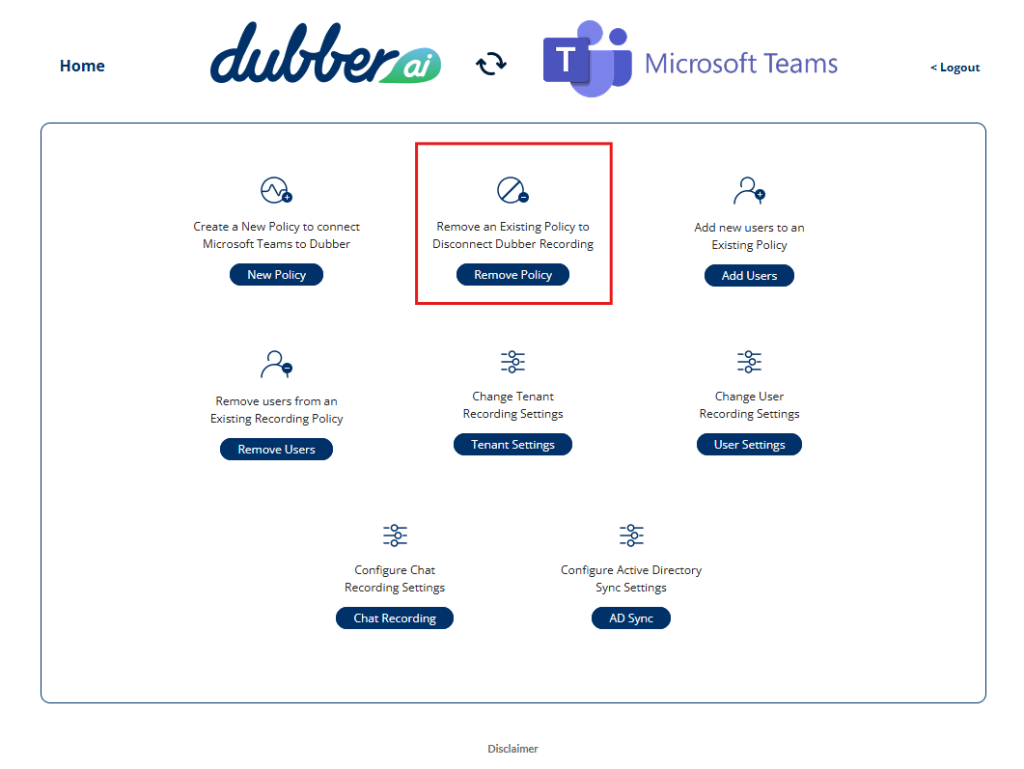
Once completed, the Dubber call recording configuration and associated policies will be removed from your Microsoft tenant.
Step 4: Remove Dubber Policies
You must run each of the four PowerShell commands provided by the Dubber provisioning portal, in the order displayed, to fully remove the Dubber call recording configuration from your Microsoft tenant.
Important: All four commands must be executed successfully to ensure that all Dubber recording policies and associated configurations are completely removed from your tenant. Failure to run any of the commands may result in residual configuration remaining within your Microsoft Teams environment.
Once all commands have completed successfully, Dubber call recording will be fully disconnected from your Microsoft tenant.