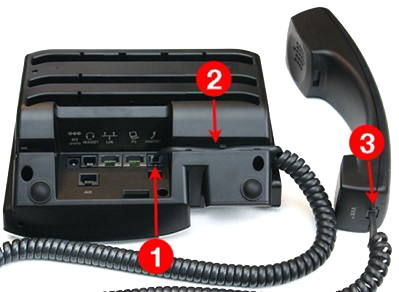
Please following this document to install or replace your unity handset.
You may require the following information in order to progress
- CRM ID
- DDI Phone Number or Extension
- Group Phone Number (if extension is used)
- PIN (If replacing handset)
- Mac Address of device and serial number if not connected to redcentric network
The above information will be supplied by your administrator our support team.
Note: If your replacing a handset, make a note of the extension number, then disconnect the old handset. Extension number can be found top left hand corner of the VVX handset.
You may be prompted to set an Admin Password. Follow these steps carefully:
- Old Password: Enter
456, then press the Down Arrow. - New Password: Enter
123, then press the Down Arrow. - Confirm Password: Enter
123, then press Enter.
⚠ Important: Do NOT press Enter or OK until all three values have been entered.
New Handset
Replacement Handset
New Handset
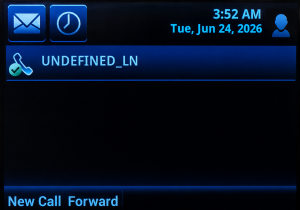
- With phone showing “Undefined” dial 1 on the phone and pick up the handset.
- You will then be asked to enter your Customer CRMID Number.
- You will be prompted for the Phone Number in E164 Format i.e 441234567890 or the Extension number. followed by #
- You might be prompted for the Group phone number in E164 Format, if extension number has been entered.
- The handset will then automatically reboot.
- The handset will go through a provisioning process that will take about 20 minutes. After which it will show the assigned users extension number where UNDEFINED was.
- The phone is now ready to use.
Replacement Handset
- With phone showing “Undefined” dial 1 on the phone and pick up the handset.
- You will then be asked to enter your Customer CRMID Number.
- You will be prompted for the Phone Number in E164 Format i.e 441234567890 or the Extension number. followed by #
- You might be prompted for the Group phone number in E164 Format, if extension number has been entered.
- When replacing your handset will be asked if you want to replace the existing handset Press 1
- You will be prompted for a Pin Code.
- The handset will then automatically reboot.
- The handset will go through a provisioning process that will take about 20 minutes. After which it will show the assigned users extension number where UNDEFINED was.
- The phone is now ready to use.