This error occurs when you try to edit the Email Address field on a user’s profile because the user has already been provisioned in Webex.
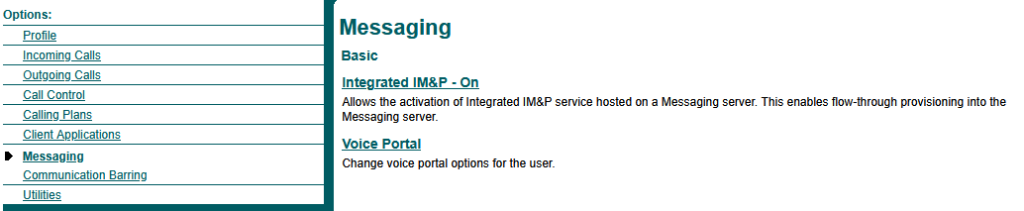
To update the email address, you must first disable Integrated IM&P, which can be found under the Messaging section in the left-hand menu of the user’s profile. Once disabled, you can make the necessary changes to the user’s email address.
After the email address has been updated, re-enable Integrated IM&P to reprovision the user in Webex and synchronise the updated details.